
How to block porn in Incognito mode in Chrome
To block porn in Incognito mode in Chrome, add Escape for Chrome and turn on Allow in Incognito for it. That one switch is the whole trick. Chrome keeps every extension out of Incognito windows until you allow it, which is why so many blocks stop working the moment a private window opens. Once the switch is on, the same 40,000+ adult sites are blocked in Incognito as in normal windows. This guide is for Chrome on a computer.
Why Incognito skips your extensions
Incognito is meant to leave no trace. To protect that, Chrome turns every extension off in Incognito windows by default, even the ones you trust. Nothing is broken. It is just Chrome's rule. And no extension is allowed to turn the switch on for itself. Only you can.
That is why "just open Incognito" gets past so many blocks. The block was never told it could work there.
How to turn on Allow in Incognito
- Install Escape for Chrome. A setup page opens and shows Incognito windows as Not protected yet.
- Click Show me the switch. Chrome opens Escape's settings page.
- Turn on Allow in Incognito.
- Look for You are protected. The setup page comes back and shows both normal and Incognito windows as Protected.
You can also do it by hand. Type chrome://extensions in the address bar, click Details under Escape, and turn on Allow in Incognito.
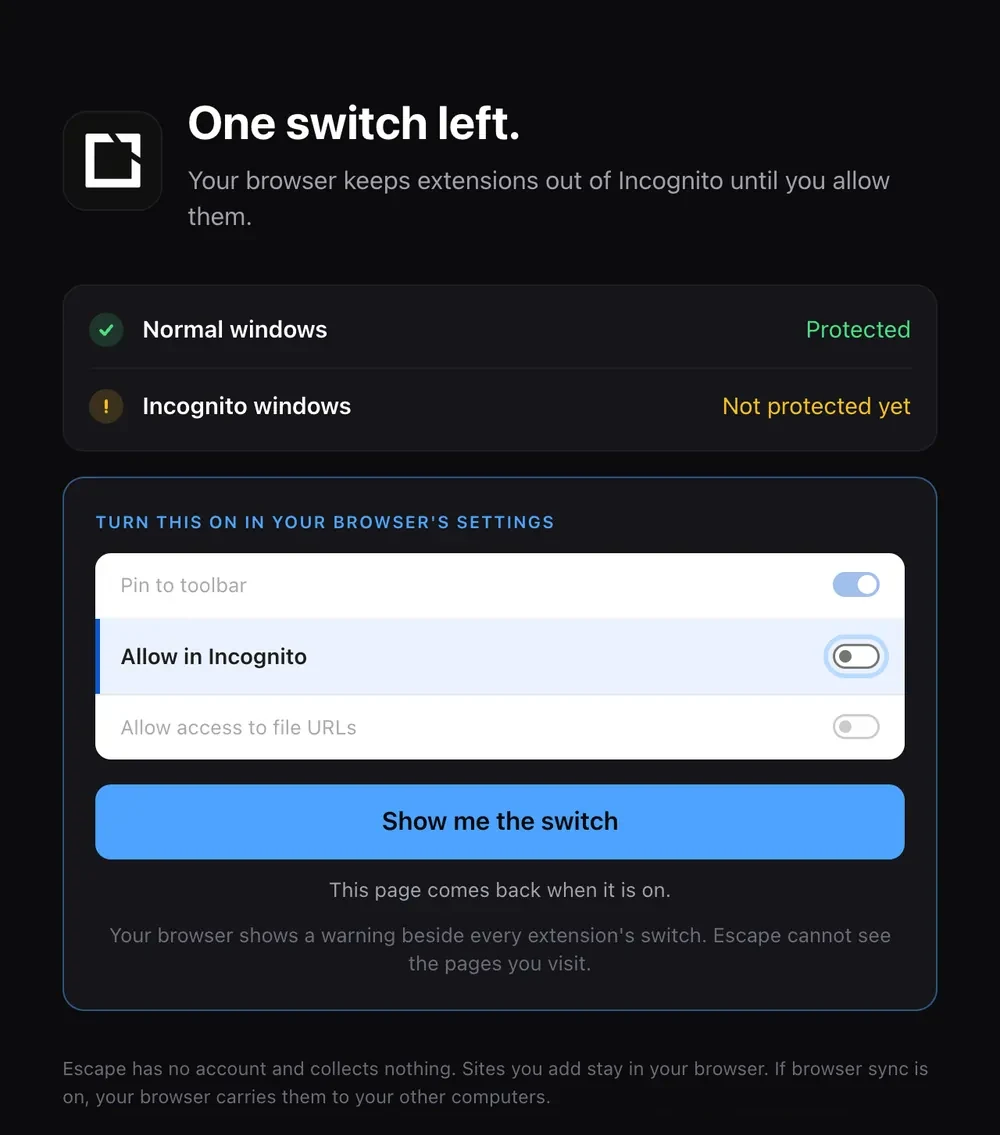
The warning next to the switch
When you turn it on, Chrome warns that it cannot stop extensions from recording your browsing history. Chrome shows that same warning for every extension, because some extensions can read the pages you open. Escape is not one of them. It asks for two permissions only: one to use Chrome's built-in blocking rules, and one to remember your own list of sites. It cannot see your pages or your history, in Incognito or anywhere else. What those two permissions mean.
Check that it worked
Click the Escape icon in the toolbar. It should say that Incognito windows are protected. Then open an Incognito window, with Ctrl+Shift+N on Windows or Cmd+Shift+N on a Mac, and try a site you know is on the list. You should see Chrome's own plain page saying the site is blocked.
If the Escape menu says One switch left, the switch is still off. Click Show me and turn it on.
Next steps
The full setup is in how to block porn in Chrome on a computer. On iPhone, private tabs work differently: see incognito and private browsing on iPhone.
Common questions
Can you block porn in Incognito mode in Chrome?
Yes. Add Escape for Chrome, then turn on Allow in Incognito for it on Chrome's extensions page. From then on, the same 40,000+ adult sites are blocked in Incognito windows as in normal ones.
Why does my blocker not work in Incognito?
Because Chrome runs Incognito windows without extensions unless you turn on Allow in Incognito for each one. It is Chrome's rule, not a fault in the blocker, and only you can turn the switch on.
Where is the Allow in Incognito switch?
Type chrome://extensions in the address bar, find Escape, click Details and scroll to Allow in Incognito. Or click the Escape icon in the toolbar and click Show me, which opens the same page.
Should I worry about Chrome's warning on that switch?
Chrome shows the same warning beside Allow in Incognito for every extension, because some extensions can read pages. Escape cannot. It only gives Chrome a list of sites to block, and it never sees what you visit.

Escape - Adult Content Blocker
Escape for Chrome blocks 40,000+ adult sites in normal and Incognito windows. Free, with no account and no tracking.
Free extension forChromeMore on this topic in Chrome and computer guides, or go deeper with the Your phone is the dealer course.