
How to block Reddit on a computer (Chrome, Edge, Brave)
To block Reddit on a computer, add Escape for Chrome to your browser, click its icon, type reddit.com and click Block. The whole site goes, every page and every subdomain, old.reddit.com included. It is free, with no account. Turn on Allow in Incognito and Reddit stays blocked in private windows too. It works in Chrome, Edge and Brave on Windows, Mac and Chromebook.
Why people quitting porn block Reddit
For some people, Reddit is where a quiet evening turns into an hour they regret. A feed keeps serving the next thing, and adult posts can sit a click or two away from everything else. You do not have to decide anything for the slide to start. You just keep scrolling.
Blocking the whole site takes the decision away before it starts. Escape already blocks 40,000+ adult sites, including the porn sites that borrow Reddit's name. Adding Reddit itself closes one more door, and it takes about a minute.
How to block Reddit in Chrome, step by step
- Add Escape for Chrome. Open Escape for Chrome in the Chrome Web Store, where it is listed as Escape - Adult Content Blocker. Click Add to Chrome, then Add extension.
- Turn on Allow in Incognito. A setup page opens. Click Show me the switch and turn it on. The page comes back saying You are protected, and every site you block is now blocked in private windows too.
- Pin the Escape icon. Click the puzzle piece in the toolbar, then the pin next to Escape.
- Block Reddit. Click the Escape icon, type reddit.com in the Block a site box, and click Block. Escape says Blocked, and Reddit appears under Your sites.
- Add redd.it too. Reddit keeps its pictures and videos at redd.it, and links to them get shared everywhere. Type redd.it and click Block.
- Test it. Open a new tab and go to reddit.com. The browser shows a plain page saying the site is blocked.
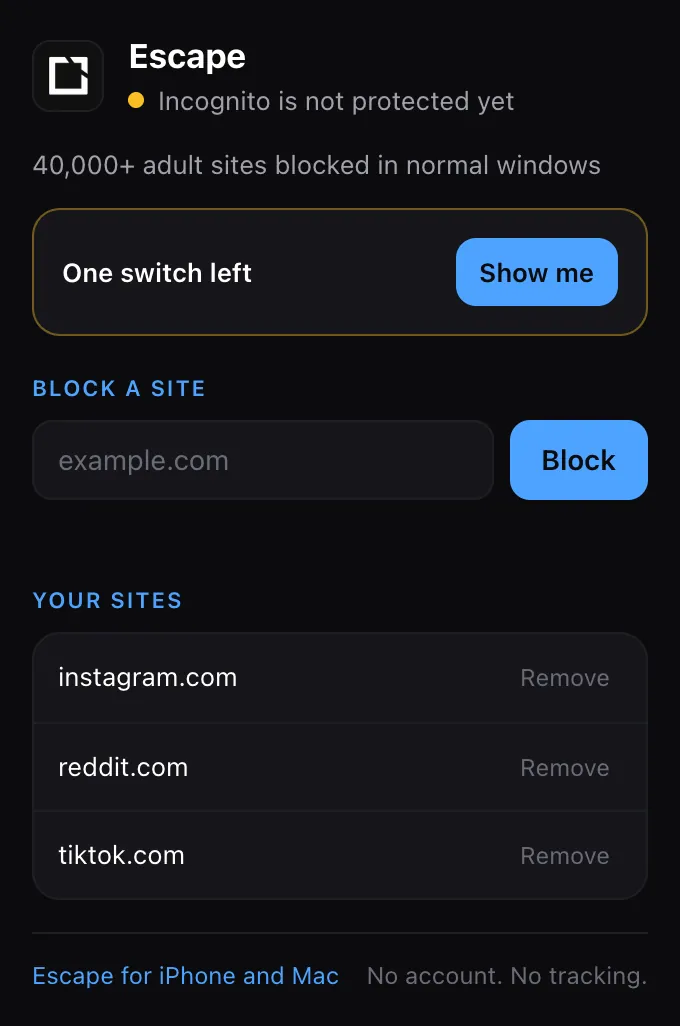
Paste any Reddit link and Escape keeps the site
You do not have to tidy the address. Paste a full Reddit link, with the page and everything after it, and Escape keeps just the site. It blocks all of Reddit, not only that one page. The same goes for any site you add.
Escape blocks the whole site, every page and every subdomain. So old.reddit.com, new.reddit.com and www.reddit.com are all covered by the one entry. Your list stays in your browser. Escape has no account and never sees it.
In Edge or Brave
Edge and Brave install from the Chrome Web Store too. Add Escape in that browser, turn on the private-window switch the setup page points to, then add reddit.com in its menu. If browser sync is on, your browser carries your own list to your other computers, so Reddit is blocked there too wherever Escape is installed. The Edge guide and the Brave guide have the details.
What to do with the time you get back
The first few evenings without Reddit can feel strange. Your hand reaches for the tab out of habit, and a blocked page looks back. That is normal, and it fades. It helps to decide in advance what fills the gap: a show, a book, a call, a walk, or a hobby that does not live in a feed. The evenings can get calmer, and the urges a little quieter, once the endless scroll is gone.
Block the rest of your list
You can block up to 200 sites of your own, so add every site that starts the slide for you. X is often next on the list: see how to block X (Twitter) on a computer. For the full picture across feeds, see how to stop seeing porn on X, Reddit and Instagram.
Block Reddit on your phone too
The phone is often where the scrolling happens. On iPhone, the Escape app can block the Reddit site in Safari with your own list, and its app blocking can block the Reddit app itself. Here is how app blocking works on iPhone.
For everything Escape for Chrome does on a computer, see how to block porn in Chrome on a computer.
Common questions
How do I block Reddit on my computer?
Add Escape for Chrome to your browser, click its icon in the toolbar, type reddit.com and click Block. All of Reddit stops loading in that browser. It is free, with no account.
How do I block Reddit on Chrome?
Install Escape for Chrome from the Chrome Web Store, where it is listed as Escape - Adult Content Blocker. Then add reddit.com in its Block a site box. Add redd.it too, which is where Reddit keeps its pictures and videos.
Does blocking reddit.com also block old.reddit.com?
Yes. Escape blocks the whole site, every page and every subdomain, so old.reddit.com, new.reddit.com and www.reddit.com are all blocked once reddit.com is on your list.
Can I block Reddit in Incognito too?
Yes. Turn on Allow in Incognito for Escape, and every site on your list, Reddit included, is blocked in private windows as well. Escape's setup page takes you to the switch.
How do I block Reddit on my phone?
On iPhone, use the Escape app. Add Reddit to your own list to block the site, and use app blocking to block the Reddit app.

Escape - Adult Content Blocker
Block Reddit, and any site that pulls you in, free with Escape for Chrome. No account, no tracking.
Free extension forChromeMore on this topic in Chrome and computer guides, or go deeper with the Your phone is the dealer course.