
How to block Pornhub on a computer (Chrome, Edge, Brave)
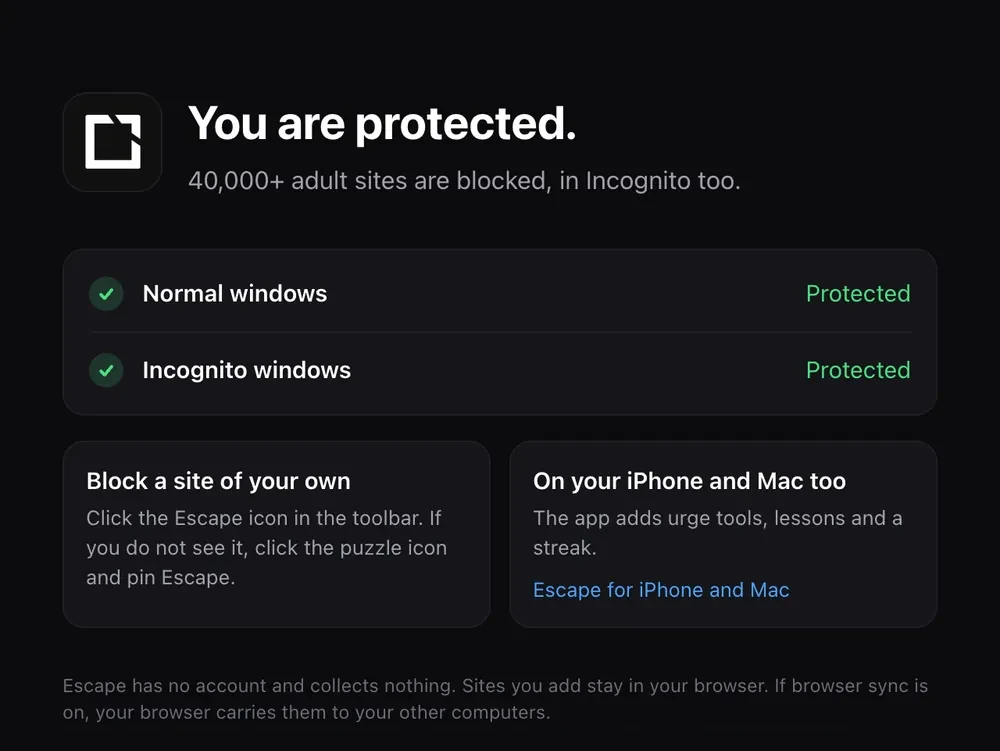
To block Pornhub on a computer, add Escape for Chrome to your browser. Pornhub is already on its list, so it is blocked the moment the extension is installed, with no account and nothing to type in. Turn on one switch, Allow in Incognito, and it stays blocked in private windows too. It works in Chrome, Edge and Brave, on a Windows PC, a Mac or a Chromebook.
Why a block on the computer helps
If you are trying to quit, the hardest part is often the gap between the thought and the click. On a computer, that gap can be a second or two: a new tab, a few letters, done. A block makes the gap wider. The site does not load, and in the pause that follows, the urge can lose its grip. You are not fighting the same fight every night. The decision was made earlier, by you, in a calmer moment.
Pornhub is blocked the moment you add Escape
You do not have to build a list or remember an address. Escape for Chrome comes with 40,000+ adult sites already blocked, and Pornhub is one of them. So are more than 180 addresses built around the Pornhub name, from its main site to the copycats that borrow it. Every address ending in .xxx, .porn, .adult and .sex is blocked as well.
Escape blocks the whole site, every page and every subdomain. When a blocked site tries to open, the browser shows its own plain page saying the site is blocked. That is all you see.
How to block Pornhub in Chrome, step by step
- Add Escape for Chrome. Open Escape for Chrome in the Chrome Web Store, where it is listed as Escape - Adult Content Blocker. Click Add to Chrome, then Add extension. Pornhub is blocked from this moment.
- Turn on Allow in Incognito. A short setup page opens. Click Show me the switch, and Chrome opens Escape's settings. Turn on Allow in Incognito. The setup page comes back and says You are protected.
- Pin the Escape icon. Click the puzzle piece in the toolbar, then the pin next to Escape. Now you can check your protection at a glance.
- Check it, without visiting anything. Click the Escape icon and type pornhub.com into the Block a site box. Escape answers that it already blocks that one.
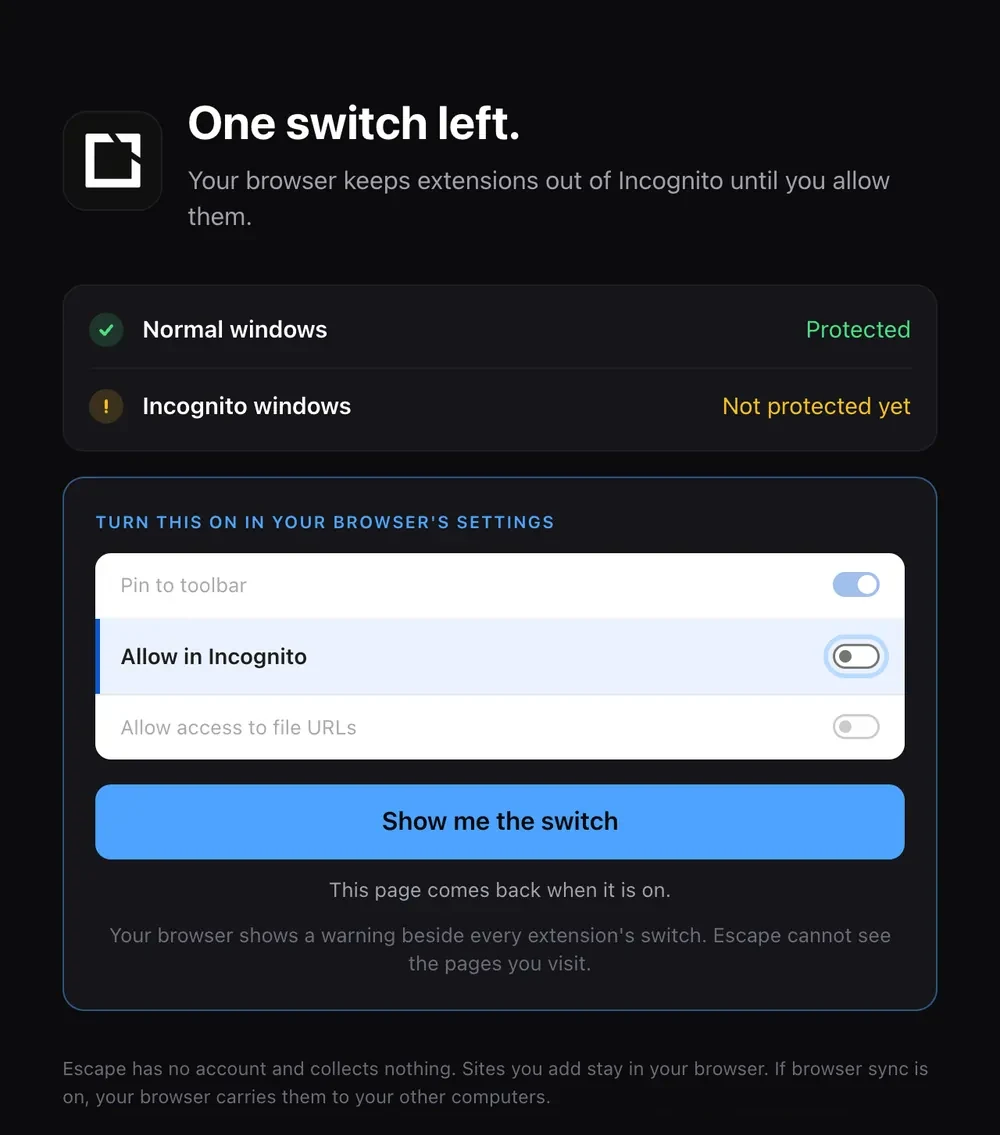
Chrome shows a warning beside the Incognito switch. It shows that same warning for every extension. Escape cannot see the pages you visit, in Incognito or anywhere else. More on blocking porn in Incognito.
How to block Pornhub in Edge or Brave
Edge and Brave install extensions from the Chrome Web Store too, so the steps are the same. Open the same Escape page in that browser, add it, and turn on the private-window switch the setup page points to. In Edge it is called Allow in InPrivate. In Brave it is called Allow in Private. The Edge guide and the Brave guide walk through each one.
Add Escape to every browser you use on the computer. On Windows, that usually means Edge as well as your main browser. Each one takes about a minute.
Block the sites that lead you there
For some people, the slide starts somewhere else: a feed, a forum, a video site. Escape lets you block up to 200 sites of your own. Click the Escape icon, type or paste the address, and click Block. Paste a full link if that is easier. Escape keeps just the site and blocks all of it.
- How to block Reddit on a computer
- How to block X (Twitter) on a computer
- How to block OnlyFans on a computer (already on the list too)
Block Pornhub on your phone too
A block on your computer works best when your phone has one too. On iPhone, the free Escape app blocks the same list in Safari, so Pornhub is blocked there as well. Its Deep Block covers Chrome and every other browser on the phone, private tabs included. Here is how to block Pornhub on iPhone.
The full computer setup, with every option, is in how to block porn in Chrome on a computer.
Common questions
How do I block Pornhub on my computer?
Add Escape for Chrome to your browser from the Chrome Web Store. Pornhub is already on its list, so it is blocked as soon as the extension is installed. Then turn on Allow in Incognito so it stays blocked in private windows too.
How do I block Pornhub on Chrome?
Open Escape for Chrome in the Chrome Web Store, listed there as Escape - Adult Content Blocker, and click Add to Chrome. Pornhub and 40,000+ other adult sites stop loading straight away, with no account and nothing to set up.
Do I need to type Pornhub into a block list?
No. Pornhub is on Escape's list out of the box, along with more than 180 addresses built around its name. If you type it into Escape's Block a site box anyway, Escape tells you it already blocks that one.
Does it block Pornhub in Incognito?
Yes, once you turn on one switch. Chrome keeps every extension out of Incognito until you allow it. Escape's setup page takes you straight to the Allow in Incognito switch, and after that Pornhub is blocked in private windows too.
Does this work in Edge and Brave?
Yes. Edge and Brave both install extensions from the Chrome Web Store, so you add Escape the same way. The switch for private windows is called Allow in InPrivate in Edge and Allow in Private in Brave.
How do I block Pornhub on my phone too?
On iPhone, use the Escape app. Its free Safari blocker uses the same list, so Pornhub is blocked there too, and Deep Block covers every other browser on the phone.
Escape - Adult Content Blocker
Escape for Chrome blocks Pornhub and 40,000+ other adult sites on your computer. Free, no account.
Free extension forChromeMore on this topic in Chrome and computer guides, or go deeper with the Your phone is the dealer course.